This 2019 MacBook Pro came home after being decommissioned at work. It is an Intel model with the Apple T2 chip. The kids use it for YouTube, Khan Academy videos, and lightweight browser games on CrazyGames.
The hardware is still in good condition, especially the battery and display. There is plenty left to use here.
The problem
Lately, even those basic tasks had become a struggle. Browser games felt slow, and the fans were running hard and getting loud. Watching videos and playing simple games was all the laptop needed to handle.
With the hardware still in good shape, replacing the machine felt unnecessary. So I decided to try Ubuntu.
Apple’s direction also makes this worth considering. At WWDC 2025, Apple confirmed that macOS Tahoe would be the final major release for Intel Macs. That does not mean all support has ended. Apple is still releasing security updates for Sequoia. But the path to newer macOS versions has ended for this machine, even though the hardware is still useful.
Installing Ubuntu
The setup followed the T2 Linux Ubuntu installation guide, using the Ubuntu image linked there. For the bootable USB drive, I used Ventoy, then installed Ubuntu alongside macOS.
The T2 Linux guide already covers the preparation and installation well. That is the place to follow the detailed steps for these Macs.
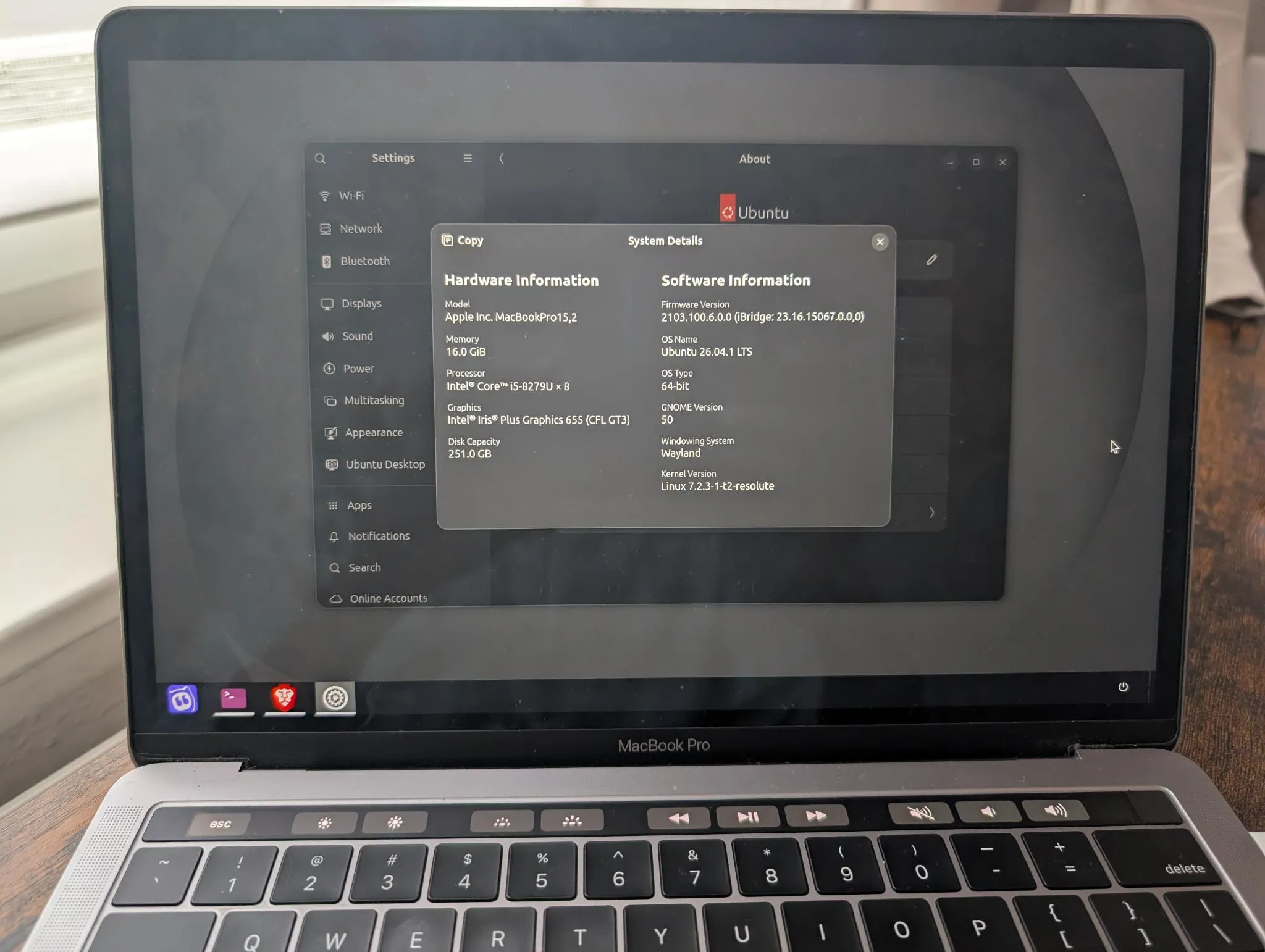
The old MacBook Pro running Ubuntu.
Why macOS is still there
Keeping macOS is recommended by T2 Linux. It provides access to proprietary firmware needed for things like Wi-Fi. macOS updates can also bring firmware updates that benefit Linux.
There are ways to get the Wi-Fi and Bluetooth firmware without an installed copy of macOS, but keeping it makes that access simpler.
Ubuntu is now the default and boots automatically when the laptop turns on. macOS can stay in its partition. We do not expect to see that desktop again anytime soon.
One small adjustment
The only change after installation was turning off automatic brightness. The screen brightness was adjusting oddly. I suspect an interaction with the Mac’s ambient light sensor, though the cause is still unconfirmed.
Manual brightness adjustment works fine for now.
The result
With Ubuntu, the machine feels light and fast again.
The apps the kids were using already ran in the browser, so they work on Linux too. That made the switch straightforward, with no need to find different apps.
For this laptop, a different operating system was enough. There is no need to shop for a replacement just yet.